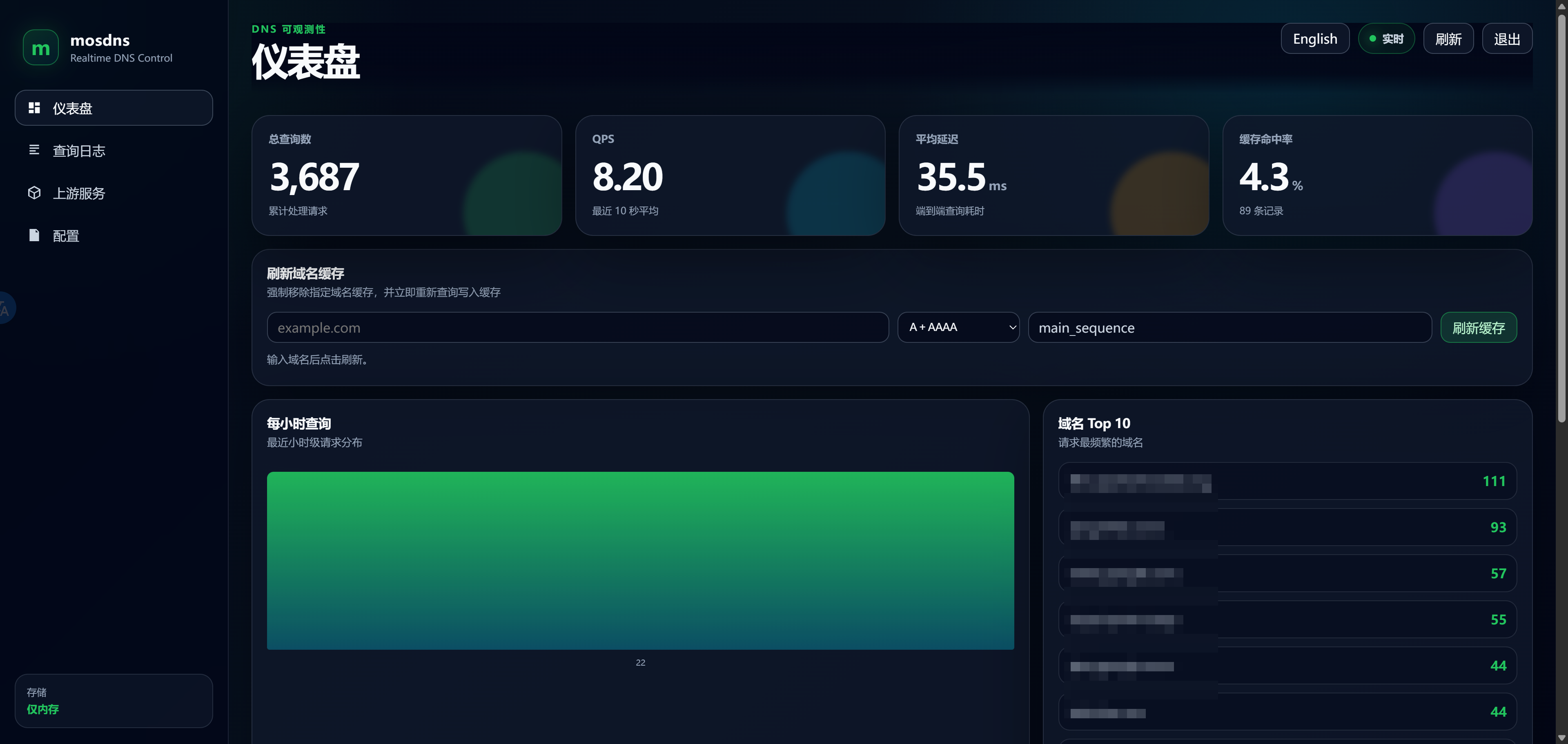
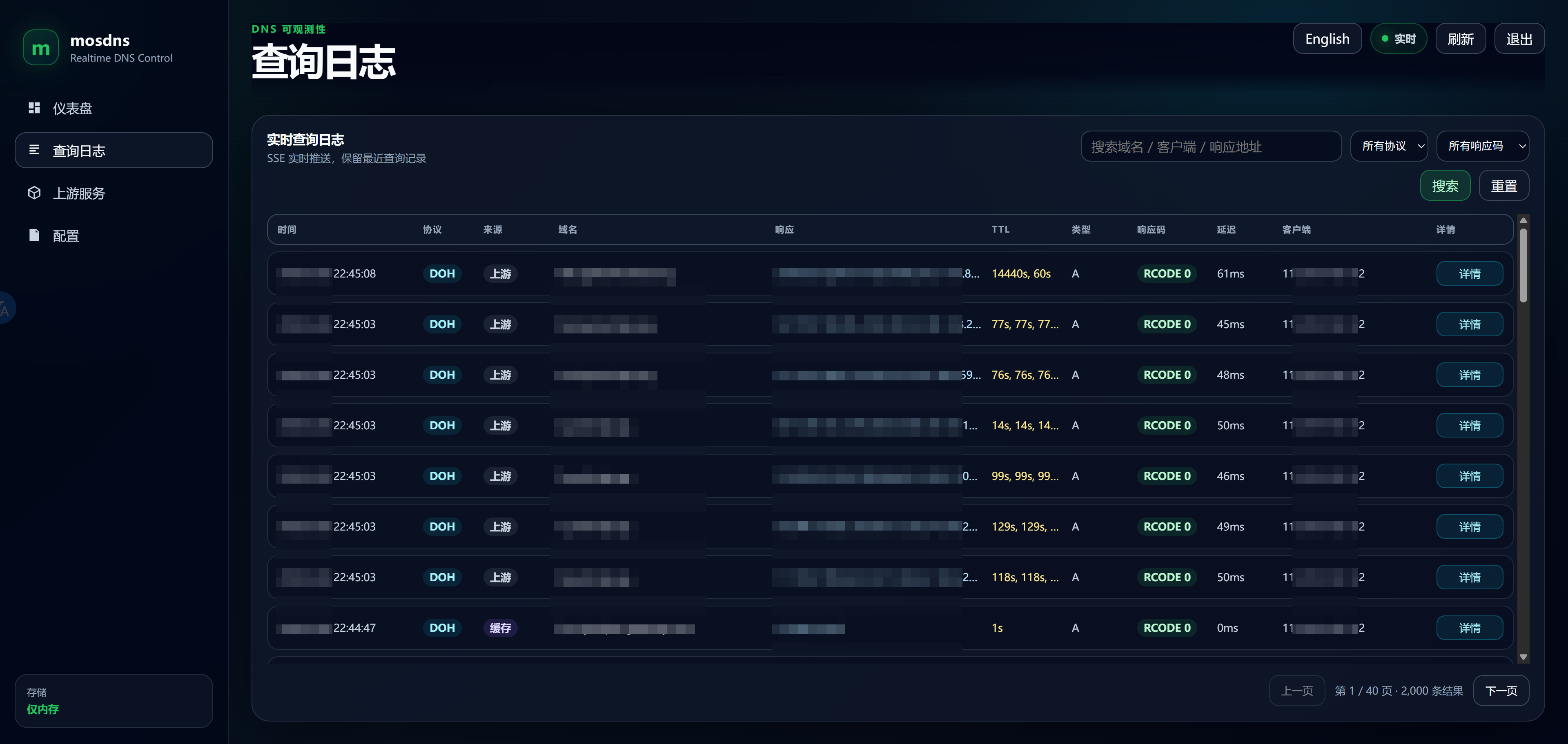
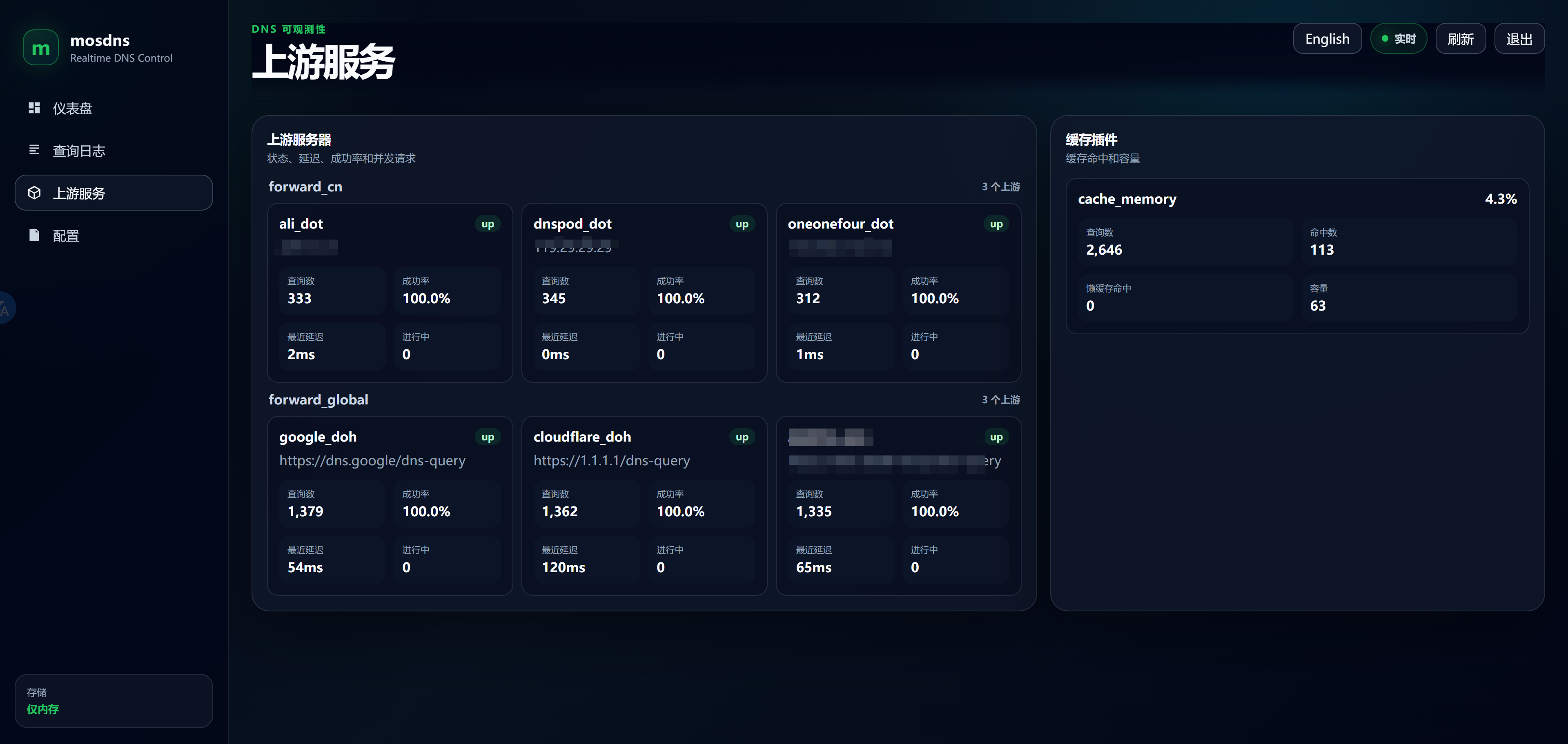
用AI vibe了一套mosdns可用的webui. 仓库地址在 mosdns with webui.
基于mosdns的main分支进行二开而来(依赖更加新, 特别是quic的依赖)
修改和新增
- 加入webui插件以及相应的接口, webui的数据可存储到redis
- 加入socks5 用户名密码支持(未测试, 只是让AI这样搞了一下, 貌似还不能用, 后续更新修复), 两种写法
socks5: "127.0.0.1:1080" socks5: "socks5://username:password@127.0.0.1:1080"
- 调整了一下Dockerfile, 最新镜像为
slk1133/mosdns:latest
使用方法
配置为mosdns v5的格式, 参考官方文档进行配置即可
docker compose运行
 1
 2
 3
 4
 5
 6
 7
 8
 9
10
11
|
services:
  mosdns:
    image: slk1133/mosdns:latest
    container_name: mosdnsv5
    environment:
      - TZ=Asia/Shanghai
    network_mode: host
    volumes:
      - ./conf:/etc/mosdns
    command: start -c /etc/mosdns/config.yaml
    restart: always
|
PS: 只开DOH的话, network_mode也可以用bridge, 配置src_ip_header即可获得远端IP
compose文件目录下会创建conf文件夹, 该文件夹内需要放置 webui 目录, webui从仓库里拿(后续应该会弄成容器自动释放文件)
1
2
3
4
5
6
7
8
|
./conf/
├── config.yaml
├── geosite_cn.txt
├── hosts.txt
└── webui
    ├── app.js
    ├── index.html
    └── styles.css
|
config.yaml配置如下(关键位置)
 1
 2
 3
 4
 5
 6
 7
 8
 9
10
11
12
13
14
15
16
17
18
19
20
21
22
23
24
25
26
27
28
|
api:
  http: "127.0.0.1:9091"

plugins:
  - tag: webui
    type: webui
    args:
      # 新版本固定为 /usr/share/mosdns/webui
      static_dir: "/usr/share/mosdns/webui"
      log_size: 2000
      username: "xxx"
      password: "xxxxxxxxx"
      # webui相关的统计数据可配置存储到redis, 不启用redis的话, 容器/服务重启后就从头开始统计
      # 实际上, 需要有独立的redis, 如果和mosdns放在一个docker-compose, 每次重启redis都会清空, 除非redis配置持久化
      redis:
        enabled: false
        addr: "127.0.0.1:6379"
        db: 0


  - tag: doh_server
    type: http_server
    args:
      listen: "127.0.0.1:9043"
      src_ip_header: "X-Forwarded-For"
      entries:
        - path: "/dns-query"
          exec: main_sequence
|
caddy可以这样转发
1
2
3
4
5
6
7
|
<your domain>:443 {
  @dns {
      path /dns-query /dns-query/*
  }
  reverse_proxy @dns http://127.0.0.1:9043
  reverse_proxy 127.0.0.1:9091
}
|
截图预览